

Trackit
Stanley Black & Decker app
Material tracking from office setup to on-site verification.
A unified web and mobile system that replaces manual handoffs with real-time visibility.
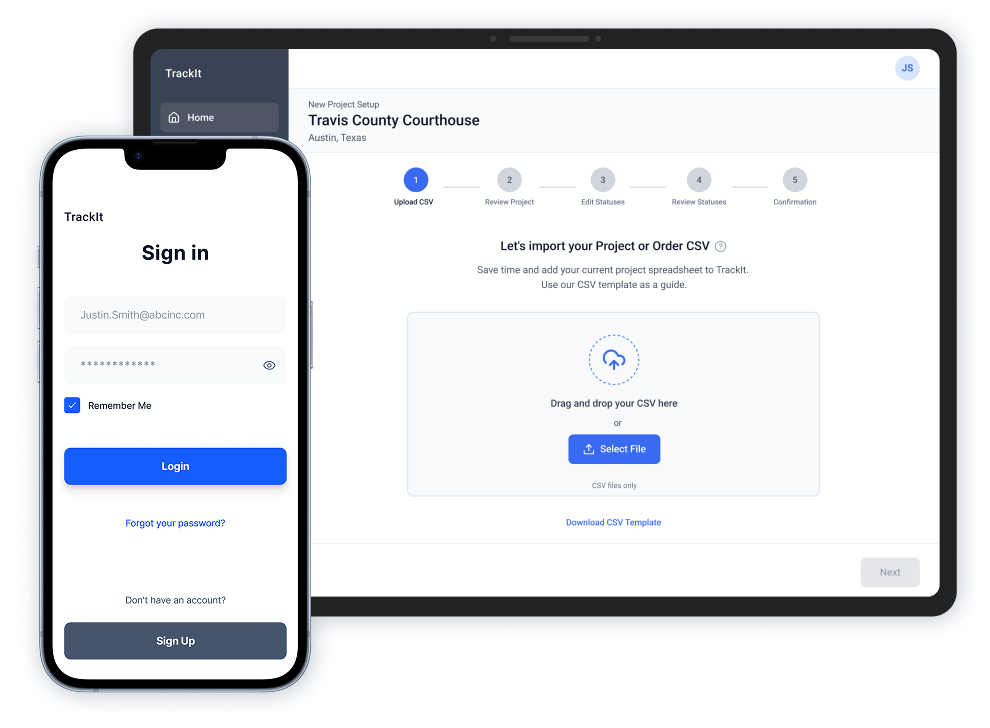
Roles & Responsibilities
My Role: Senior UX/UI Designer
Team: Project Manager, Senior Interactive Designer, and Researcher.
Platforms: Web and Mobile
Focus: Enterprise workflows, field usability, subscription enablement
Location: Remote
Overview
TrackIt is a web and mobile solution designed to centralize material preparation in the office and enable fast, reliable verification in the field. The system replaces manual handoffs with a shared workflow that improves accuracy, visibility, and on-site efficiency.
The Problem & Constraints
- Material data was fragmented across spreadsheets, emails, and paper records.
- Field teams lacked reliable access to up-to-date project information on site.
- Status updates were inconsistent and slow to reach the office.
Success Criteria
- Enable field teams to verify materials quickly on site.
- Provide office teams real-time visibility into delivery status
- Reduce verification time and manual data entry errors
The Solution
- Offline-first mobile verification using barcode scanning on site
- Shared status logic syncing field updates back to the office
Current Process / Pain Points
Material verification relied on fragmented, manual workflows that varied by job site and team, resulting in errors, limited visibility, and frequent rework.
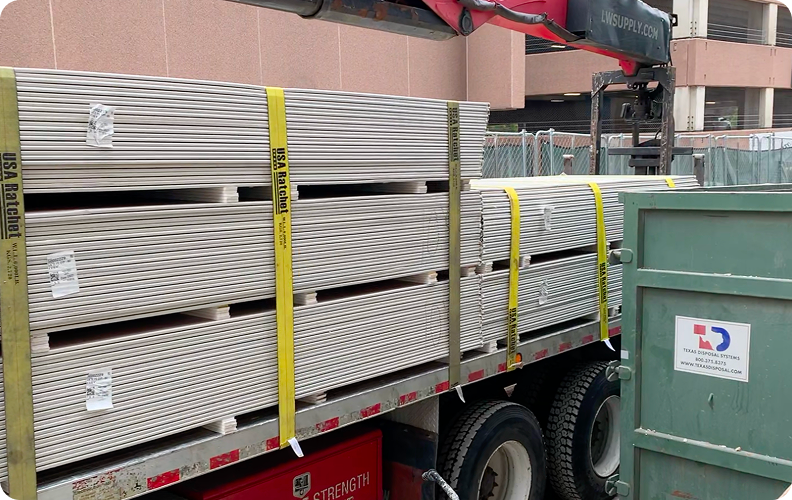
01
Materials are scheduled to arrive on site.
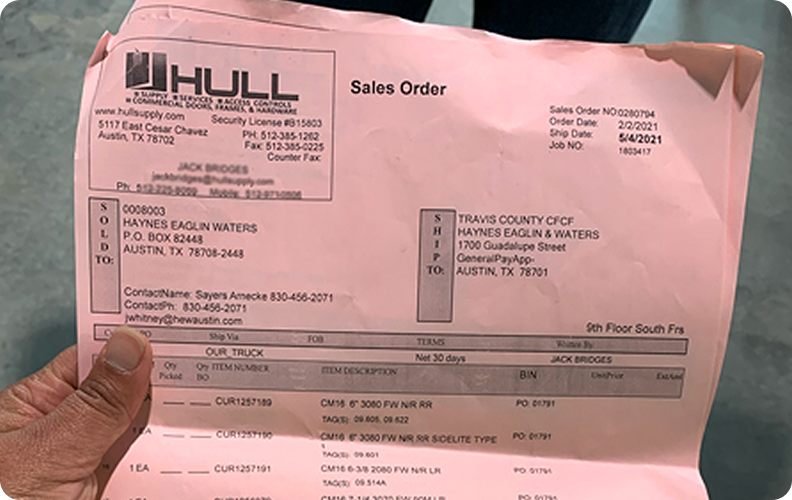
02
Paper sales orders arrive with the materials.
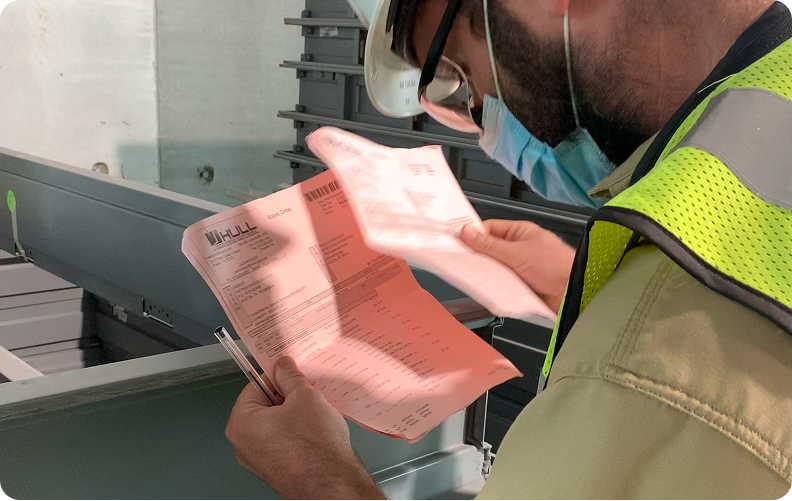
03
Field teams manually verify each item on site.
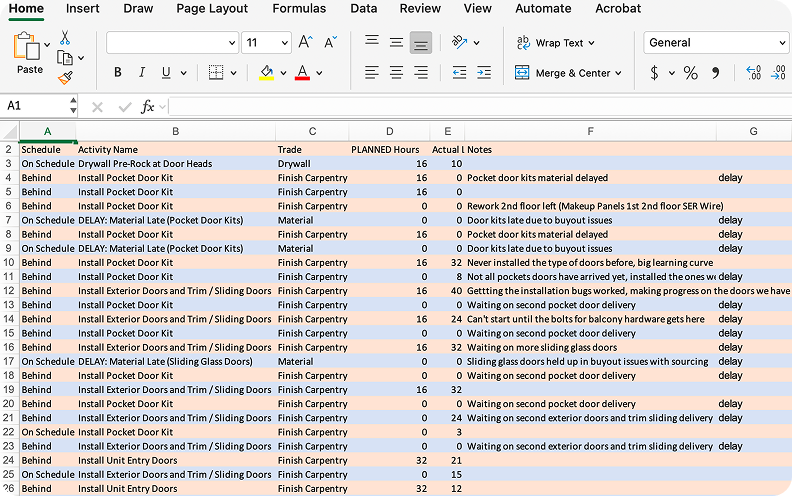
04
Paper orders are later re-entered and compared against digital records.
Manual handoffs and fragmented documentation undermined data accuracy, slowed communication, and made the process difficult to scale across teams.
The New User flows
The redesigned workflow replaced fragmented, manual steps with a single, shared process, aligning field and office teams around one source of truth.
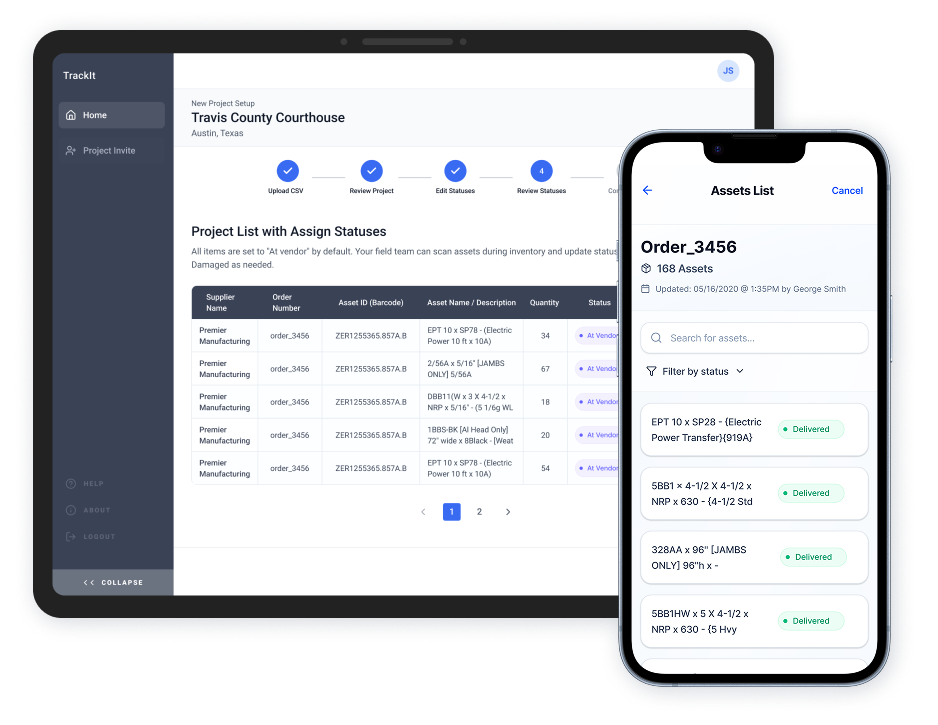
Office setup flow - Web app
Primary workflow for office teams and project oversight

Field verification flow - Mobile app
Primary workflow for on-site material verification
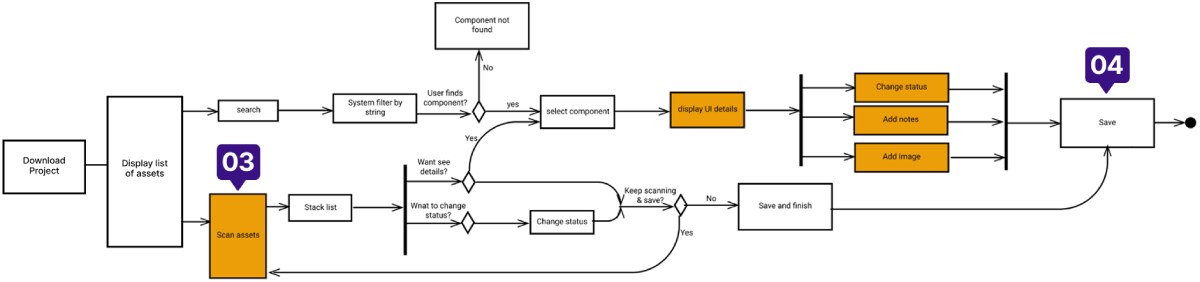
- Centralized material details across teams
- Invite team to project
- Fast, on-site verification for field teams
- Real-time visibility for office teams
 Solution
User Interface Design
The final interface was designed to support a shared, end-to-end workflow that begins in the office and continues into the field. The goal was to centralize material data early, reduce manual handoffs, and ensure that information entered before delivery could be reliably used during on-site verification.
This section walks through how the interface supports that workflow, highlighting key design decisions that enabled accuracy, consistency, and adoption across teams.
Scenario: Centralized Material Details Across Teams
Office-based workflow Web application
An office-based engineer prepares material details before delivery.
Key actions supported:
- Upload sales order data into a centralized system
- Configure delivery statuses to support consistent field verification
 Design Rationale
The web experience prioritizes accuracy, consistency, and readiness before materials reach the site. Structured setup, configurable status logic, and clear confirmation reduce downstream errors and prepare field teams to verify materials efficiently.
Uploading material data before delivery
What's happening:
Material data is uploaded through a guided flow and centralized in the cloud.
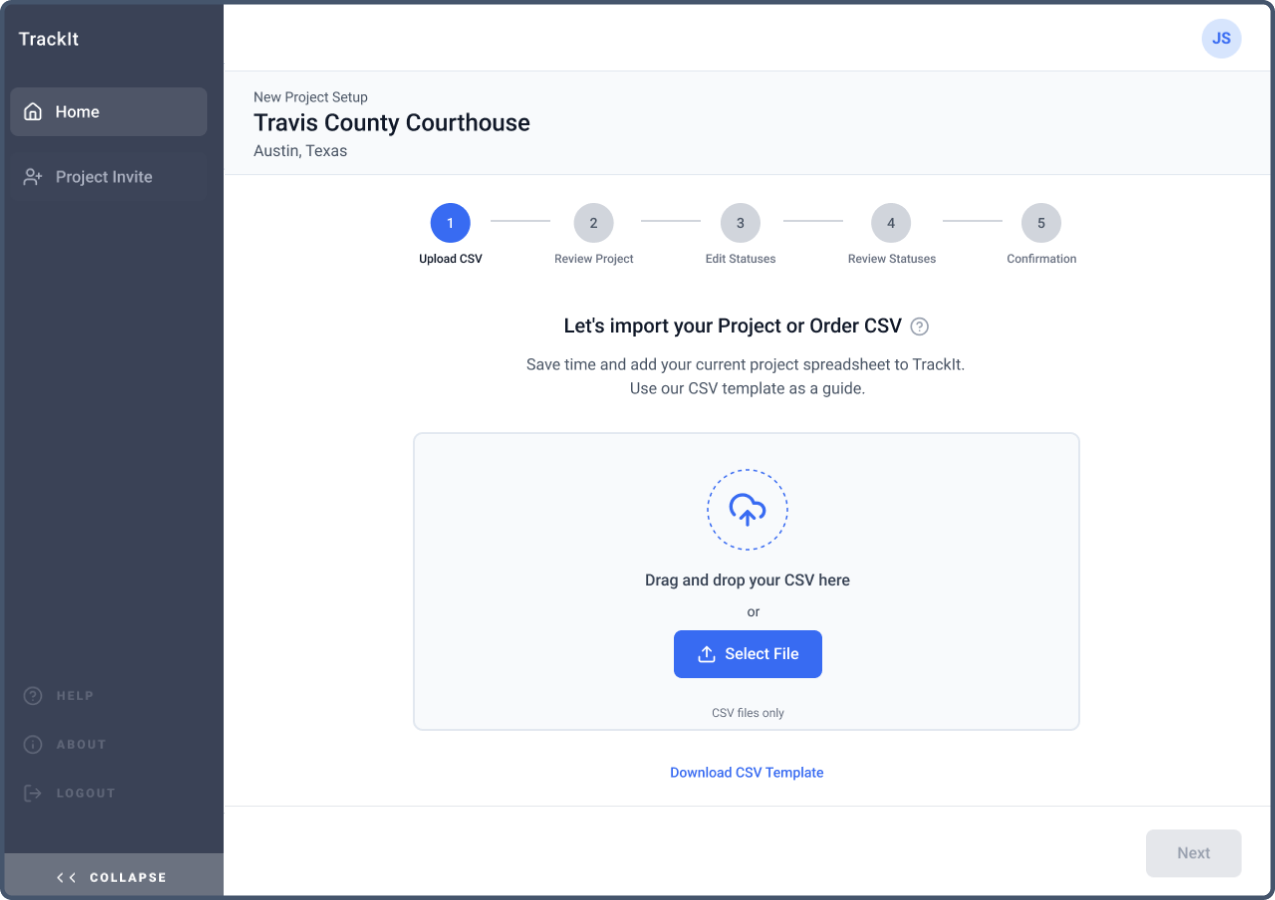
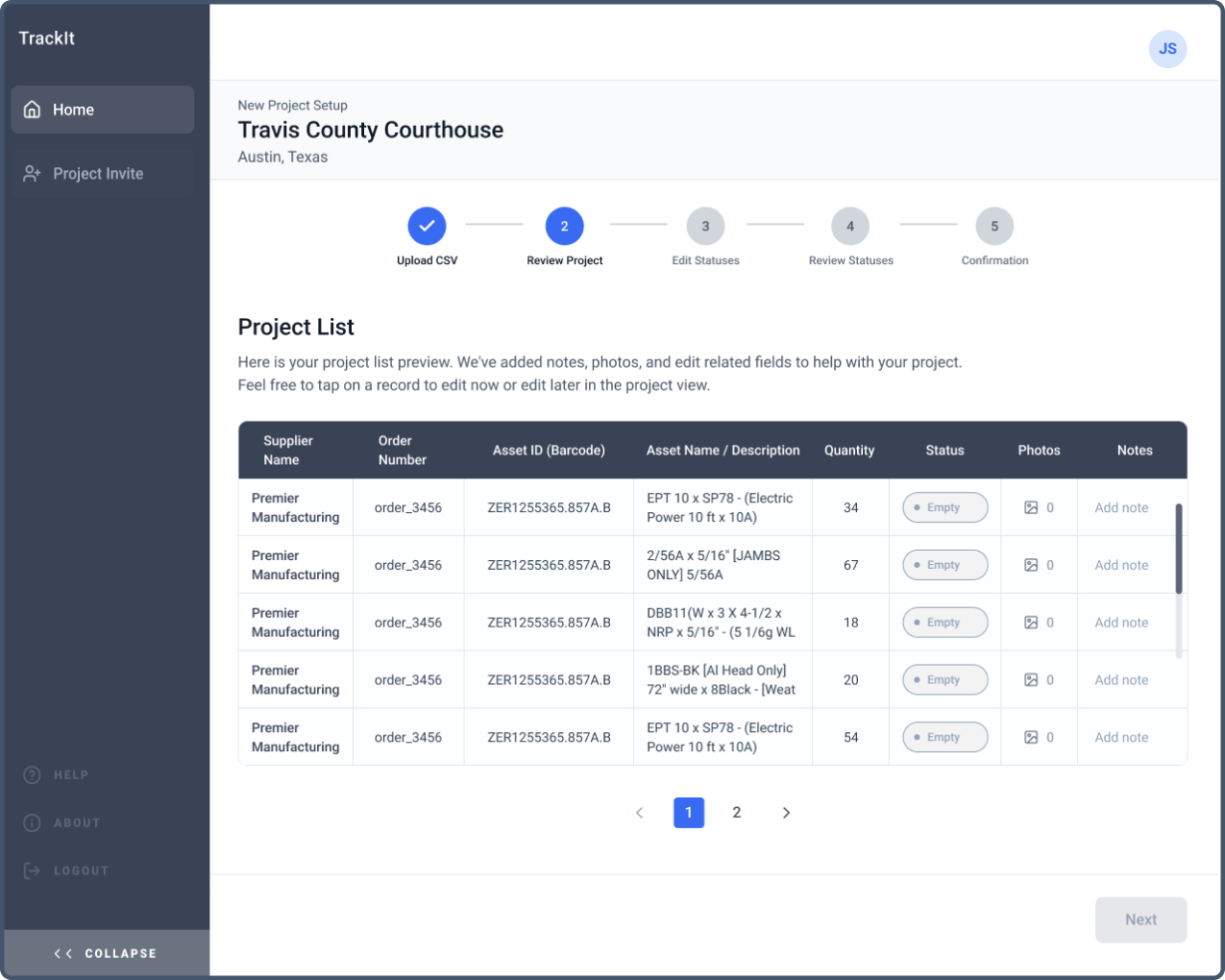
Review imported materials
What's happening:
The system generates a preview of the project list, showing imported materials with statuses initially set to empty.
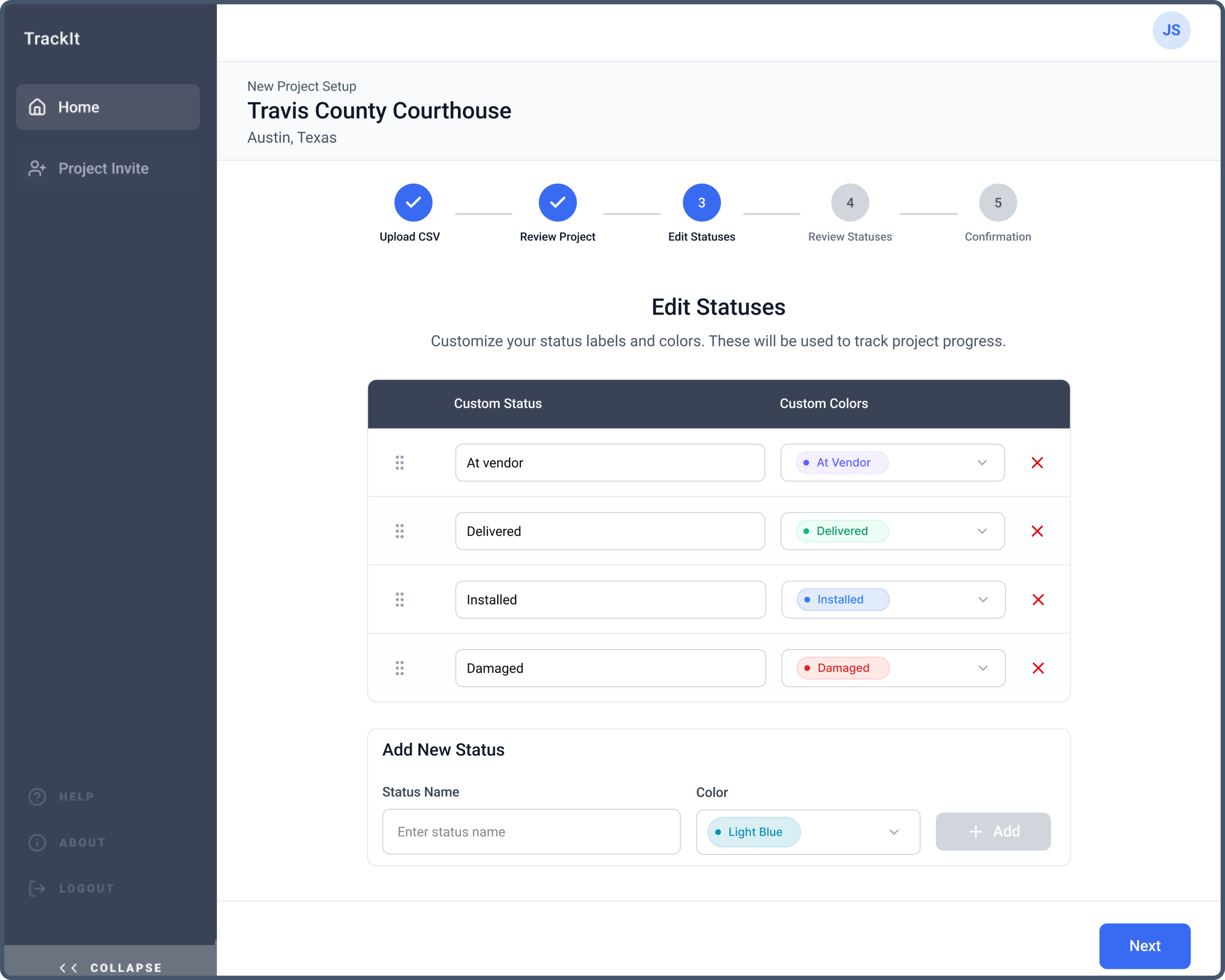
Configuring delivery statuses
What's happening:
Delivery status labels and colors are customized during setup to reflect real-world processes.
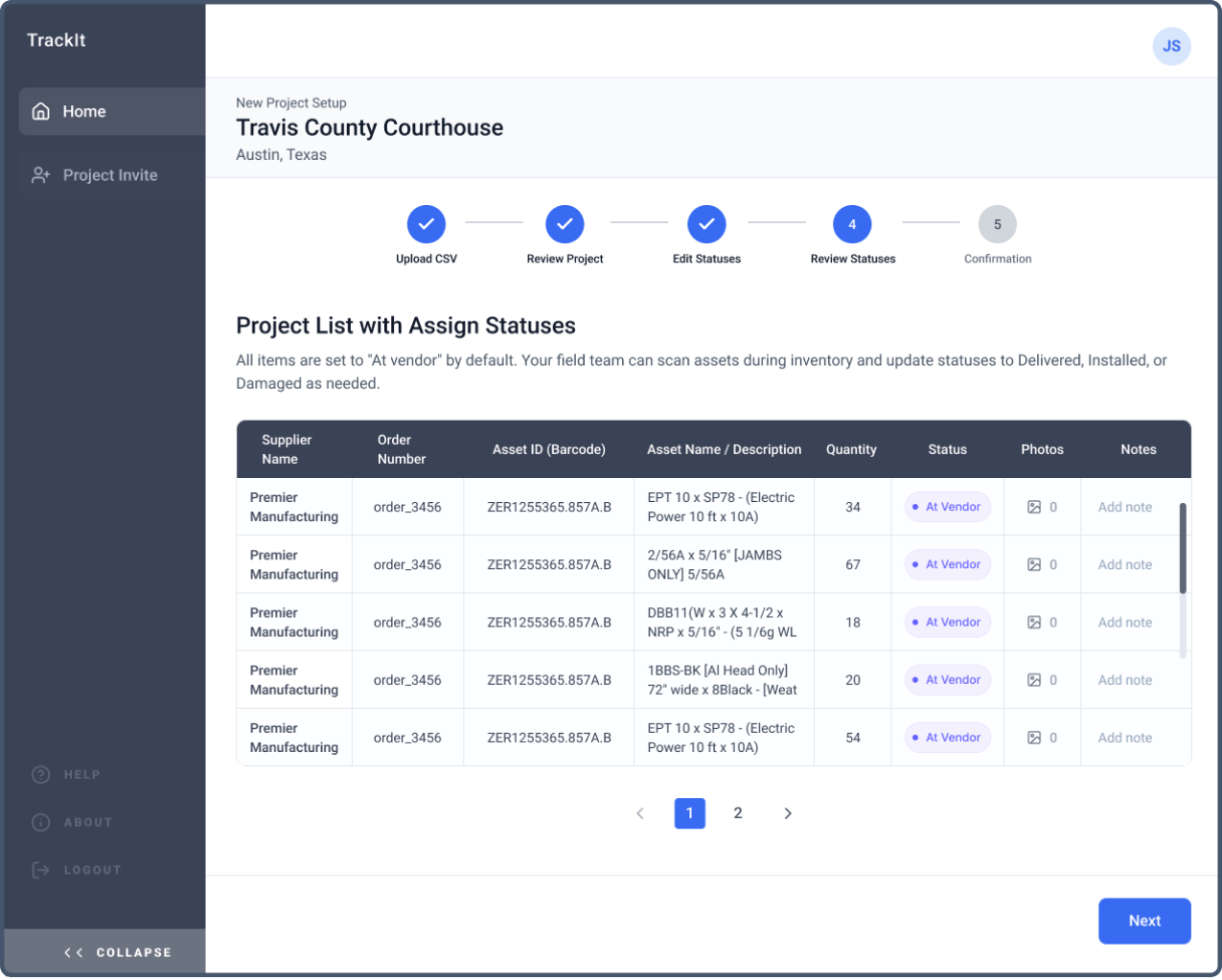
Assign default statuses
What's happening:
Materials are assigned a default status, establishing a baseline before field verification begins.
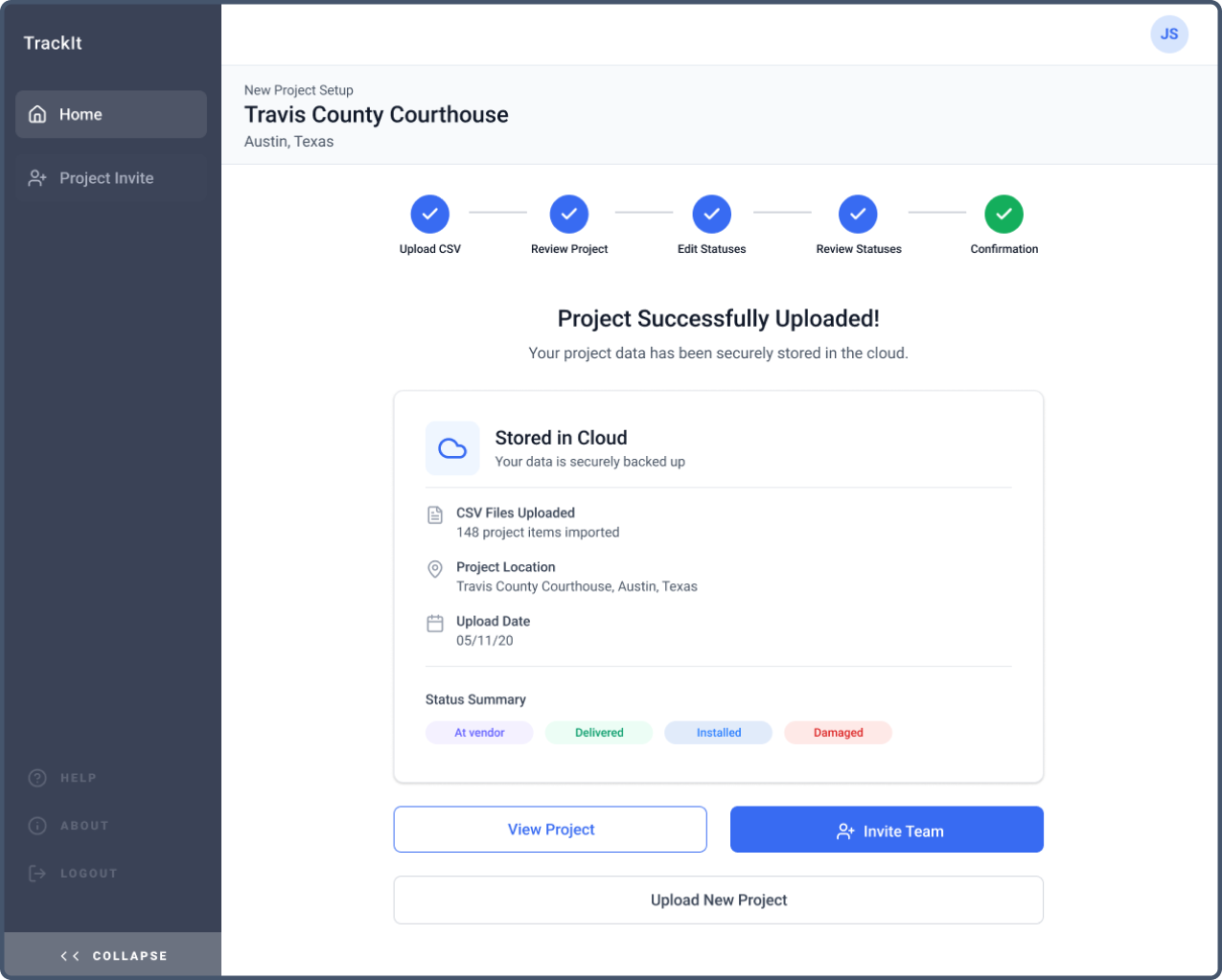
Confirm and share with the team
What's happening:
The project is confirmed, stored in the cloud, and ready to be accessed by invited team members.
Scenario 2: Field verification (Installer)
Construction field-based workflow Mobile application
Verify delivered materials on site using mobile scanning.
Key actions supported:
- Download project
- Scan assets and confirm status
Design Rationale
The mobile experience is optimized for speed and reliability in real job-site conditions. Offline access, barcode scanning, and automatic sync enable fast verification while maintaining a single source of truth.
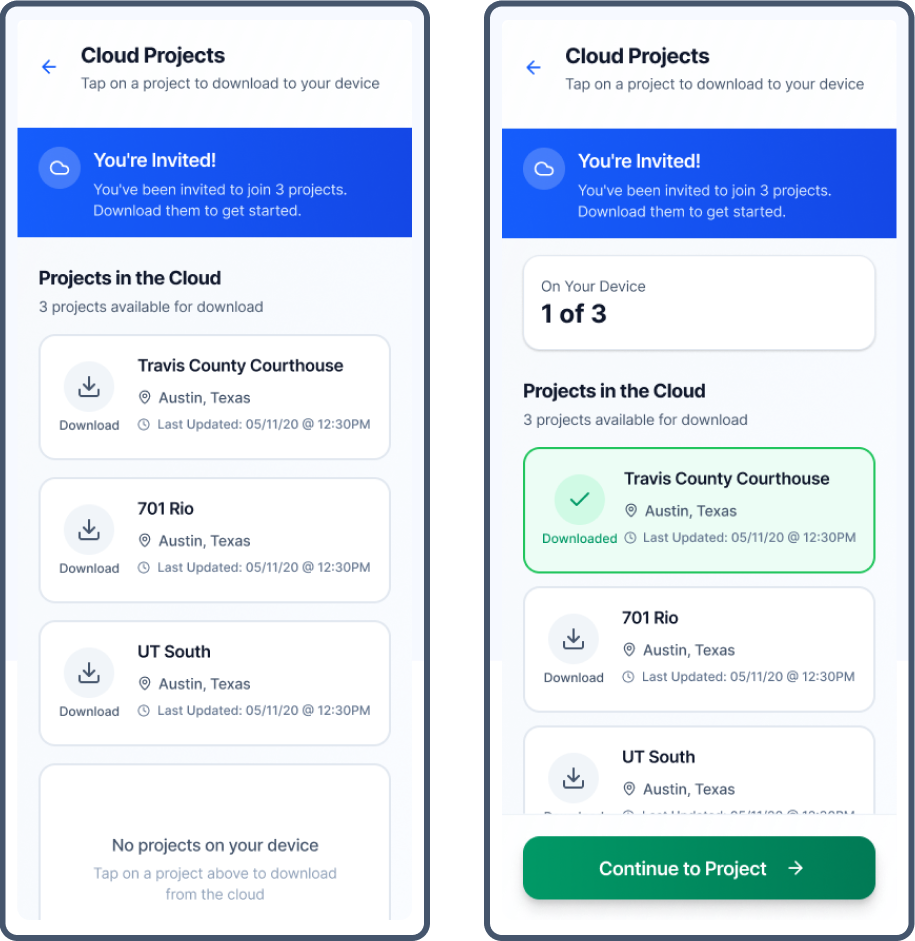
Signing in and downloading the project
What's happening:
The user signs in, sees only assigned projects, and downloads the project to the device for local access.
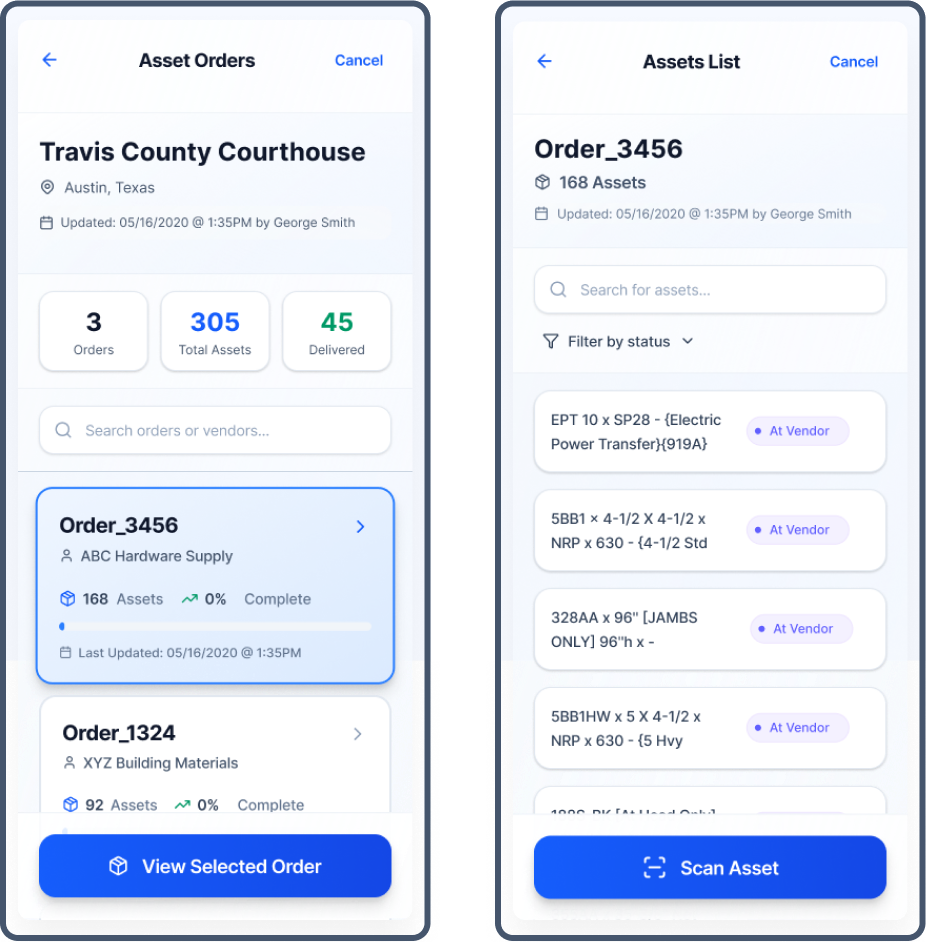
Select the order and begin scanning
What's happening:
The user selects an asset order and scans barcodes to verify delivered materials on site.
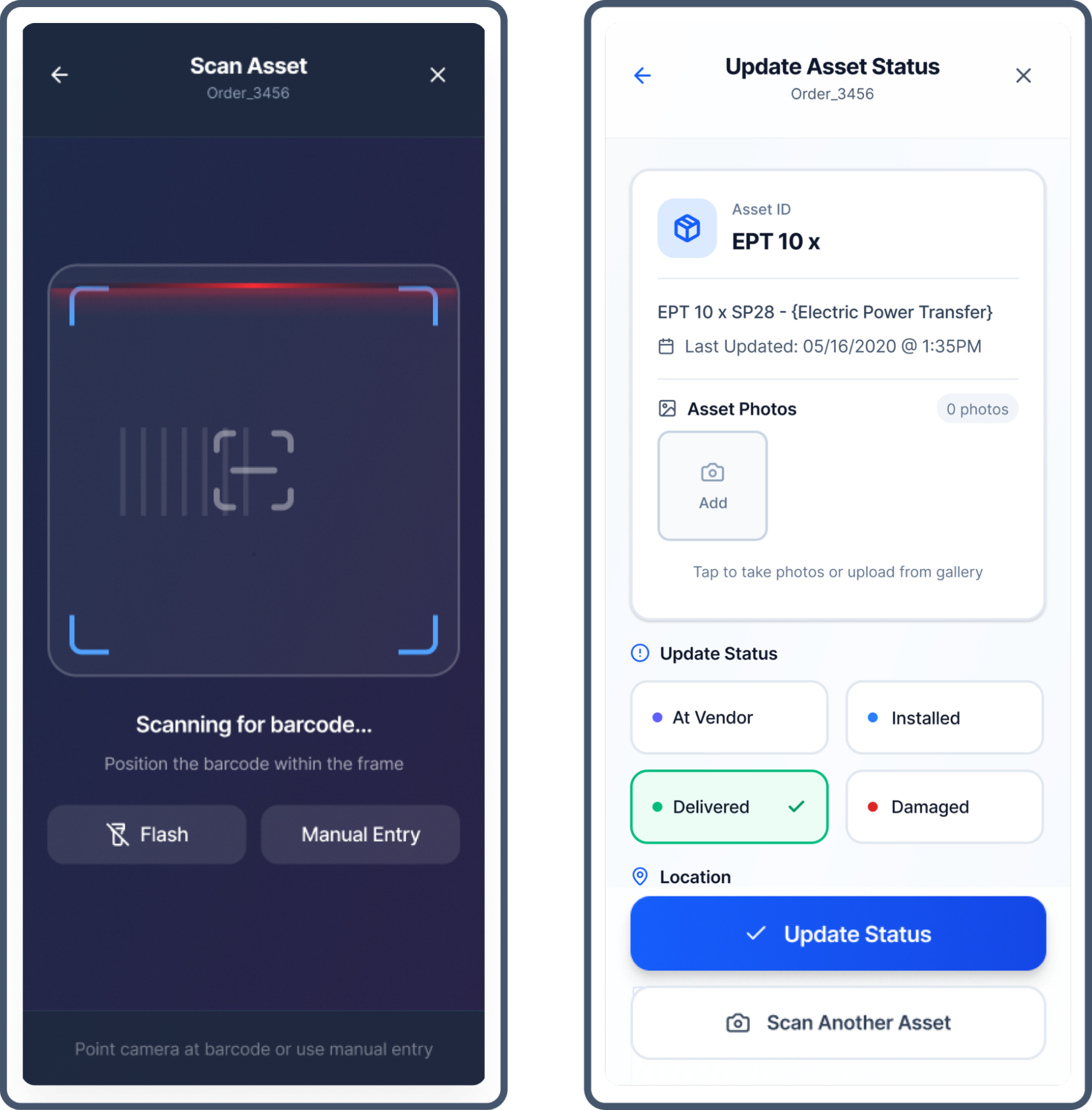
Scan assets and update status
What's happening:
The user scans an asset and updates its delivery status using a standardized set of options.
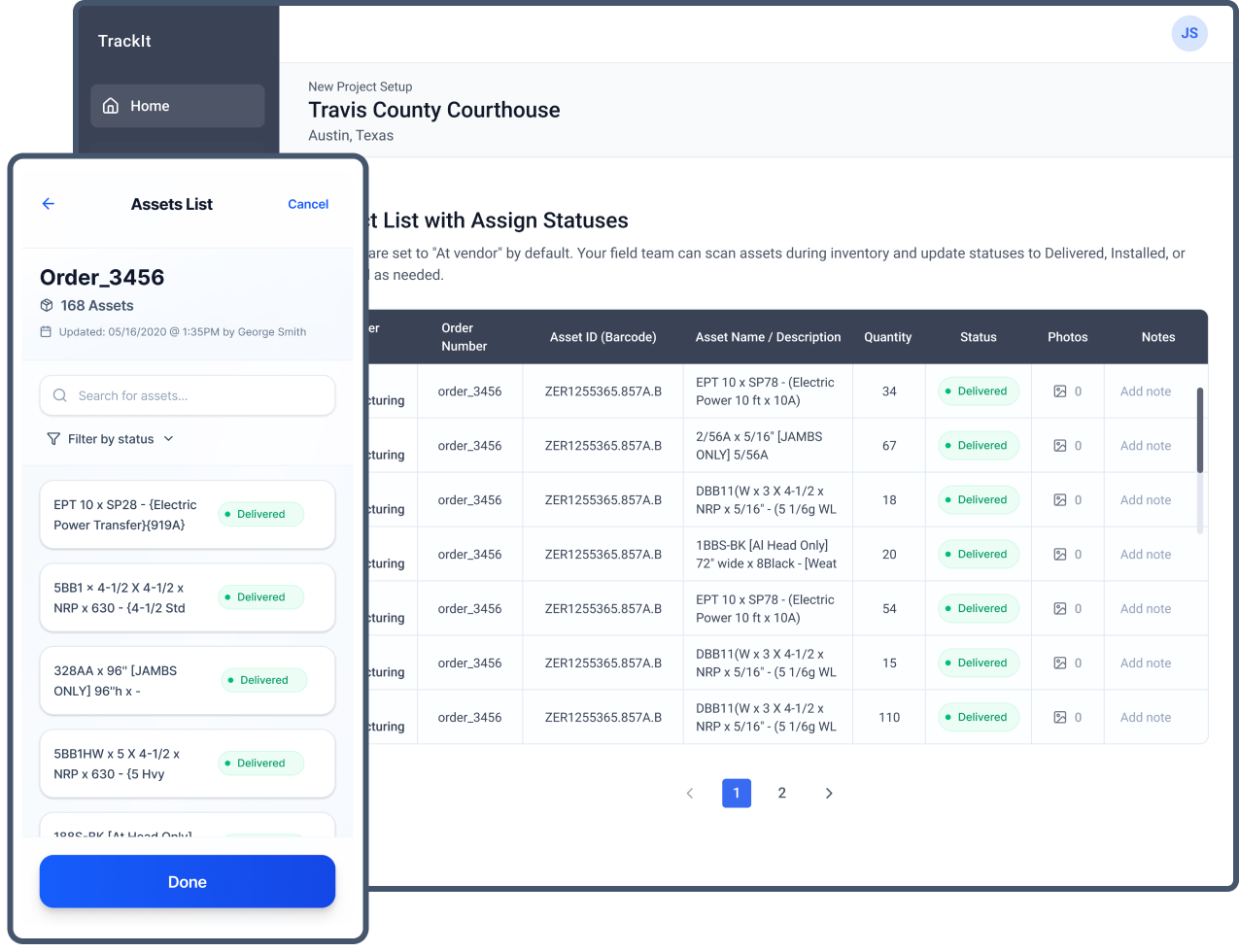
Automatic syncing back to the office
What's happening:
The user updates an asset once and continues scanning. Verification updates sync back to the cloud and appear in the web application.
Web: Setup & Oversight
- Establish a single source of truth for materials across all job sites
- Reduce time through bulk imports and standardized statuses
- Reporting and audit-ready material tracking
Mobile: Field Execution
- Verify materials on site, even with limited or no internet
- Fast barcode scanning for on-site verification
- Automatic status sync back to the office
Project Impact
-
20 hrs
Reduction per week
in material verification process
-
80%
Less daily phone calls
Real-time visibility data
-
97%
Adoption Rate
across pilot sites
Key Learnings
- Designing for field constraints (offline access, gloved use) requires prioritizing reliability over feature depth
- Centralizing setup upstream reduces downstream verification effort more than optimizing field tools alone
- Clear status logic enables adoption by aligning office and field teams around a shared source of truth
