


MS Support Portal
Enterprise IT support from intake to resolution
A centralized support portal that reduces abandonment, duplicate tickets, and off-platform escalation.
Roles & Responsibilities
My Role: Senior UX/UI Designer
Team: Business Analysts, IT Support, Engineering, and UX Design partners
Focus: Enterprise support workflows, intake standardization, and cross-team communication
Platforms: Web app
Location: Remote
Overview
The MS Support Portal is an internal enterprise platform used by HP employees and clients to request and manage IT support across multiple applications and regions. This project focused on redesigning the existing portal, which suffered from usability issues, high abandonment rates, and inconsistent support intake. The goal was to improve clarity, reduce friction, and create a scalable support experience that could better serve both users and IT teams.
The Problem
- The existing support portal was difficult to navigate, leading to high abandonment during ticket submission.
- Users escalated issues through phone and email, generating over 2,000 duplicate or incomplete requests per month.
- Inconsistent intake data limited IT teams’ ability to prioritize and resolve issues efficiently.
Success Criteria
- Enable users to successfully submit support requests end-to-end within the portal, reducing abandonment and off-platform escalation.
- Reduce duplicate tickets and manual follow-ups by standardizing intake and improving request clarity.
- Improve communication and transparency between IT teams and users throughout the support process.
The Solution
We conducted a UX audit to identify critical usability issues in the existing MS Support Portal and understand the drivers behind its high abandonment rate.
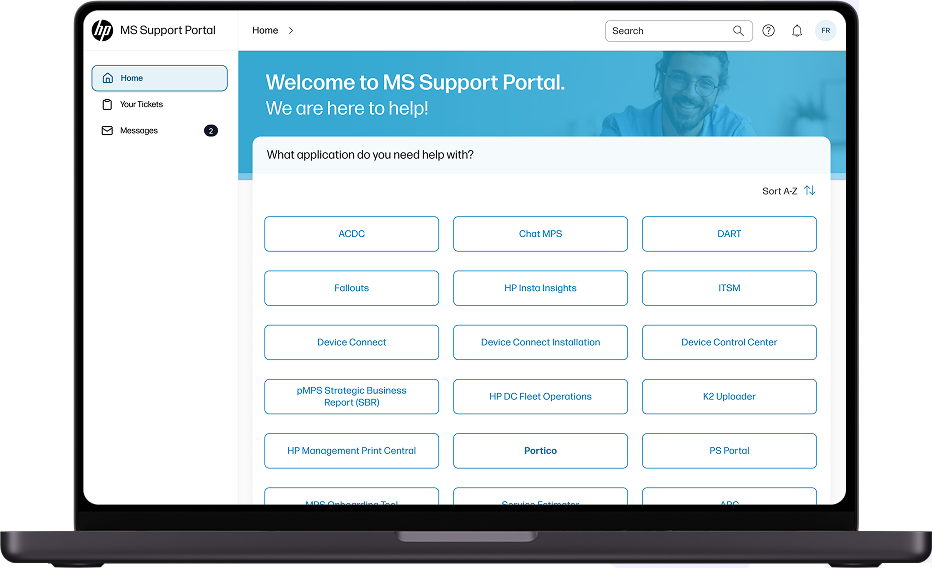
Home page

After: The Solution Addressing Success Criteria
The redesigned MS Support Portal introduces a guided, end-to-end support experience that reduces friction and helps users complete requests successfully within the portal. Standardized intake and integrated messaging reduce duplicate submissions and off-platform escalation, while giving IT teams clearer, more actionable information.

Design Approach
The redesign focused on reducing abandonment and improving successful ticket submission at scale
Supporting principles:
- Surface primary actions and applications immediately
- Standardize intake to reduce ambiguity and incomplete requests
- Improve visibility and communication across the support lifecycle
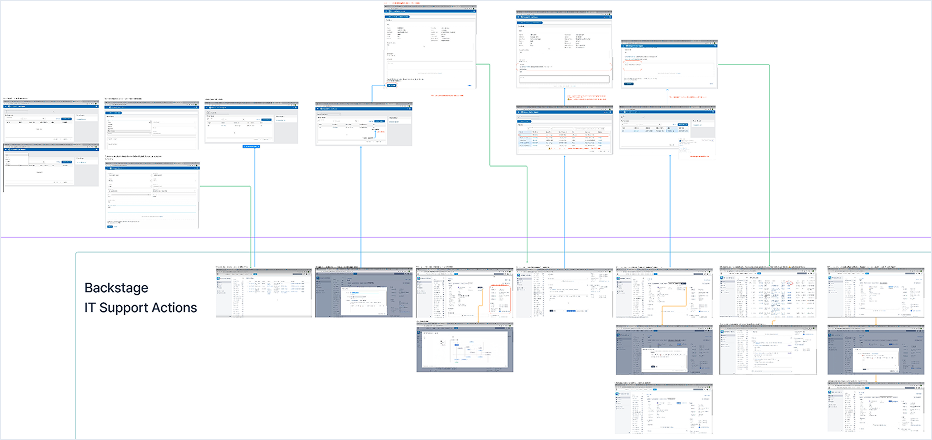
Current User and IT Support Flow
To understand the existing experience, we documented the end-to-end support flow by submitting real tickets through the MS Support Portal and reviewing internal workflows with IT engineers. This helped establish a shared understanding of how requests moved from intake to resolution and where breakdowns occurred between users and support teams.
UX Pain Points and Improvement Opportunities
The audit and workflow review surfaced several usability and communication gaps that contributed to abandonment and duplicate requests:
- Ticket statuses lacked meaningful updates, leaving users unsure of progress
- Users could not add context during initial ticket creation, requiring follow-up actions
- Portal notifications were absent; updates were communicated only via email
- Closure confirmation depended on manual comments, creating confusion about resolution
Future Mapping
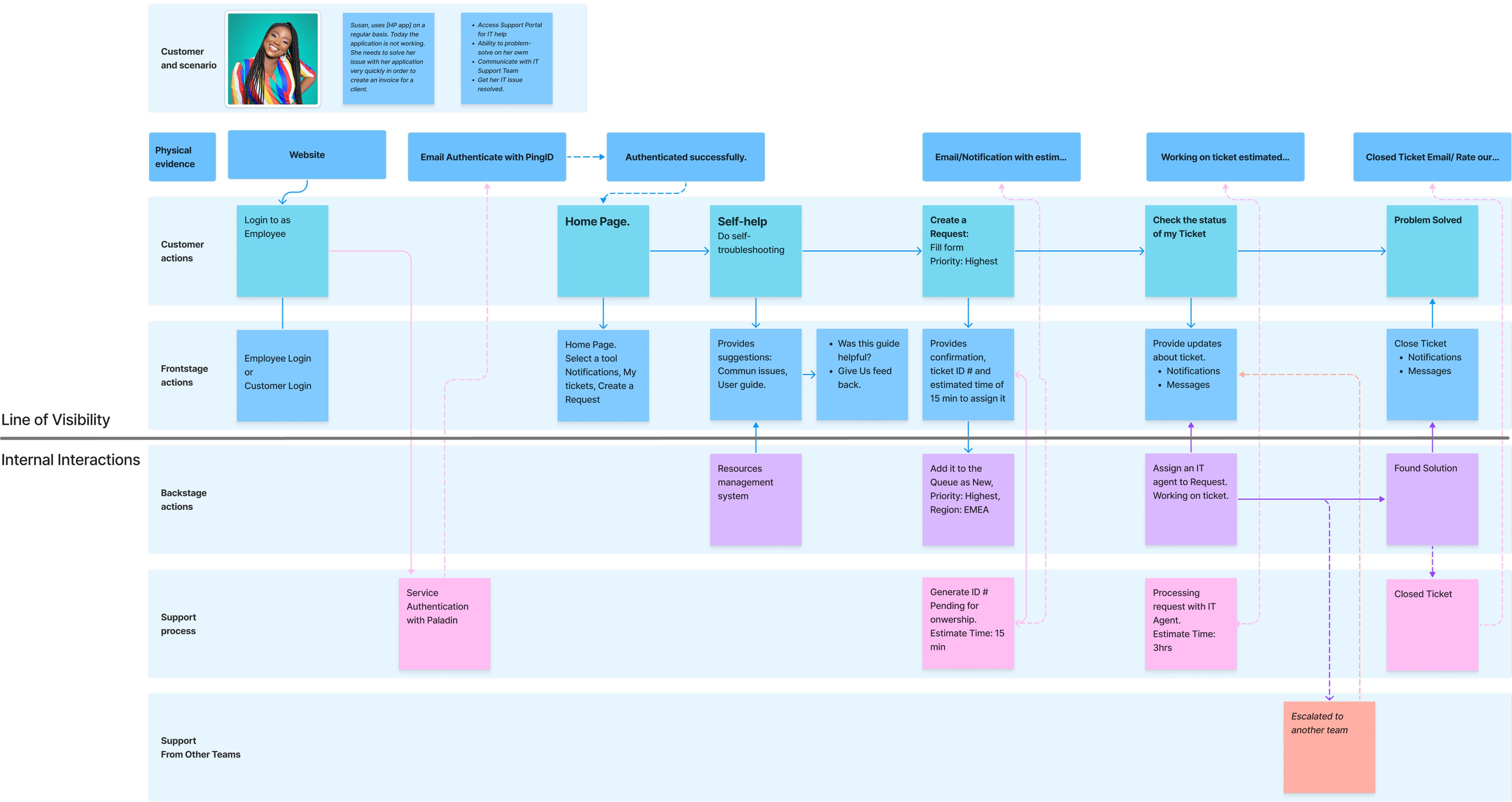
Future-state mapping aligned user actions, system behavior, and IT workflows to ensure clarity and scalability across the support lifecycle.
Service Blueprint: Future State
The future-state service blueprint aligned user actions, system behavior, and IT support processes across the full lifecycle of a support request. By clarifying ownership, visibility, and handoffs, the blueprint ensured that users received timely feedback while IT teams gained consistent, actionable information to manage requests at scale.
 Solution
User Interface Design
The interface was designed to support a clear, guided support experience while reducing cognitive load for enterprise users. Early low-fidelity concepts were tested and iterated based on stakeholder and IT feedback, with learnings incorporated into the final designs.
Scenario: User Needs IT Support
Web application
An HP employee encounters an issue with a business application and uses the MS Support Portal to request help.
Key actions supported:
- Identify the correct application and support path
- Submit a structured, complete support request
- Track status and communicate with IT through a centralized system
 Design Rationale
The solution emphasizes progressive disclosure, consistent patterns, and clear system feedback, while remaining aligned with HP’s enterprise design standards. The experience guides users to select the relevant application, explore self-help FAQs, and—if issues persist—submit a clear support request while tracking status and communication in one place without leaving the portal.
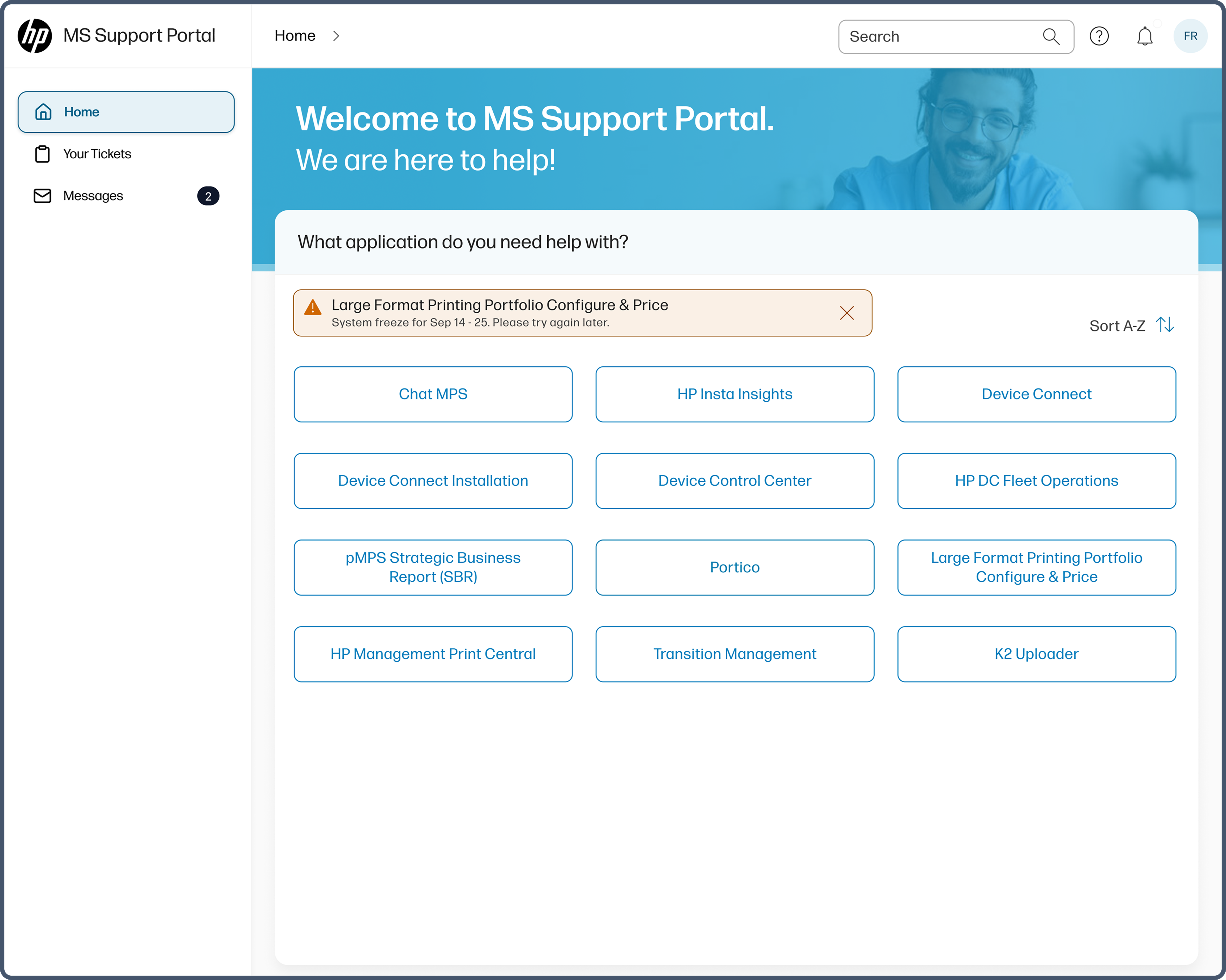
Select an application
What's happening:
Users start by selecting the application they need help with. When an application is under maintenance, a visible banner communicates system status before the user proceeds.
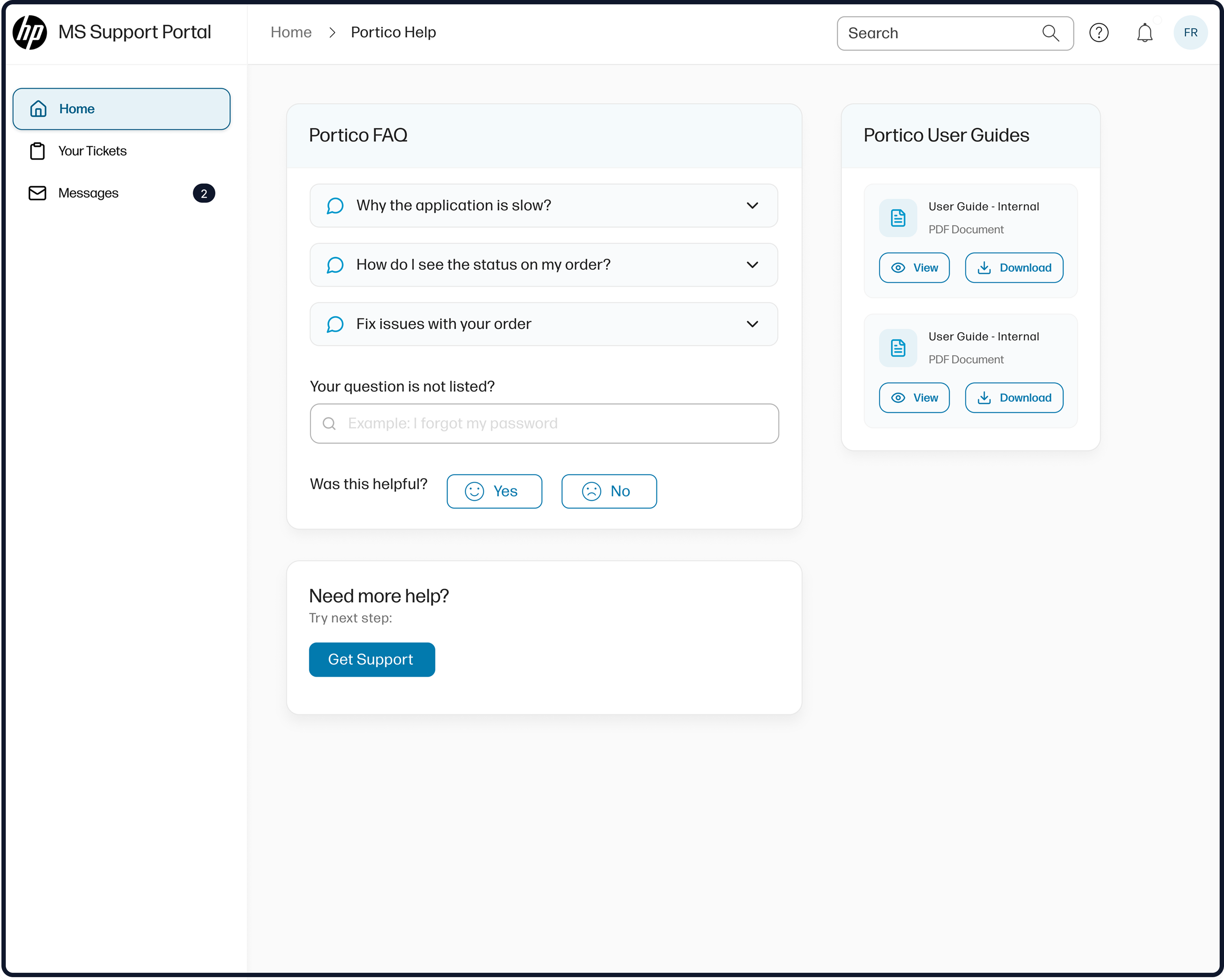
Explore self-help options
What's happening:
Once an application is selected, users are presented with relevant FAQs and user guides to resolve common issues independently before escalating to support.
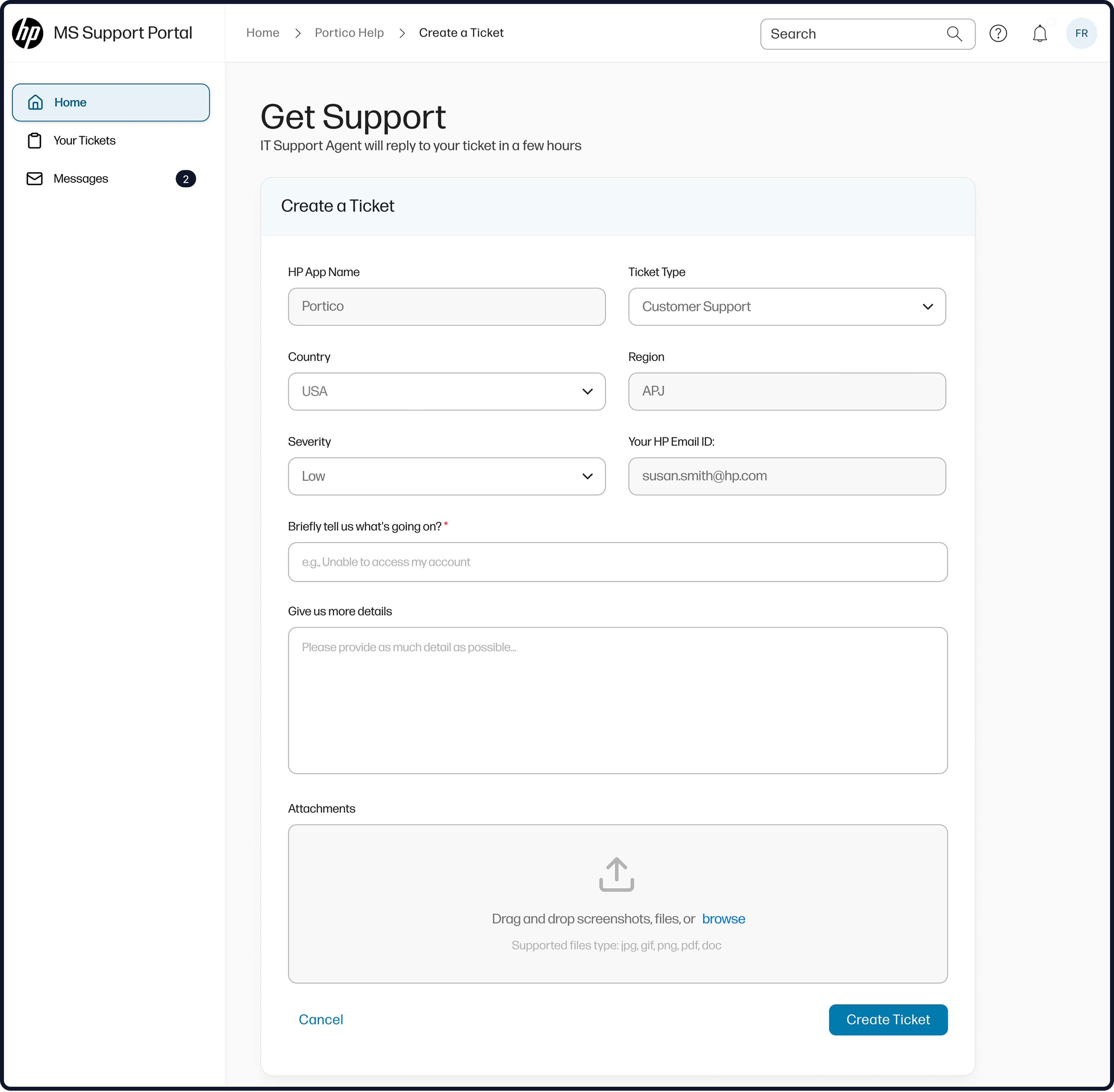
Create a support ticket
What's happening:
If self-help does not resolve the issue, users submit a guided support request with standardized fields that clarify the problem and capture required context upfront.
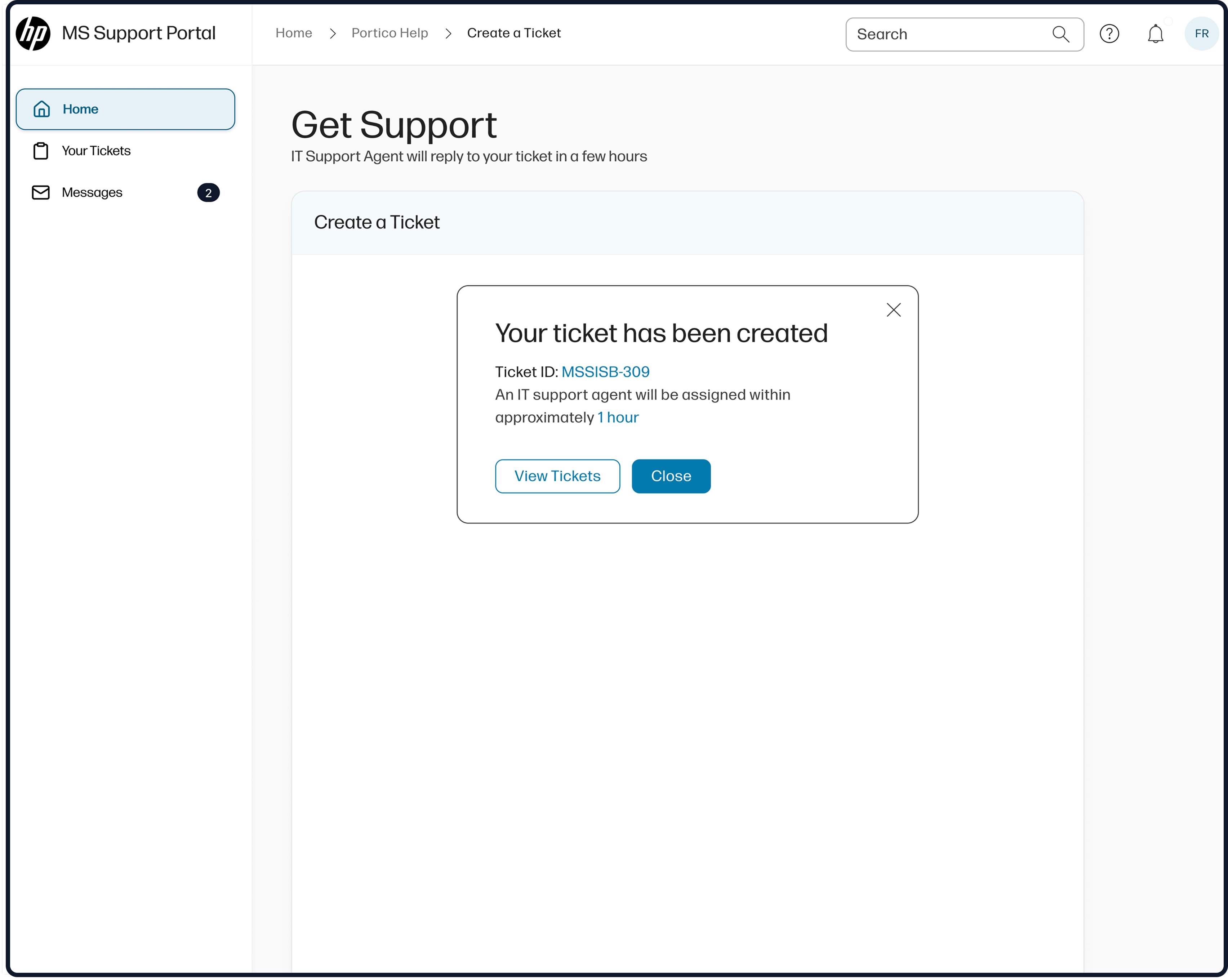
Ticket Submission
What's happening:
Users receive immediate confirmation along with an estimated response time to reduce uncertainty after ticket submission.
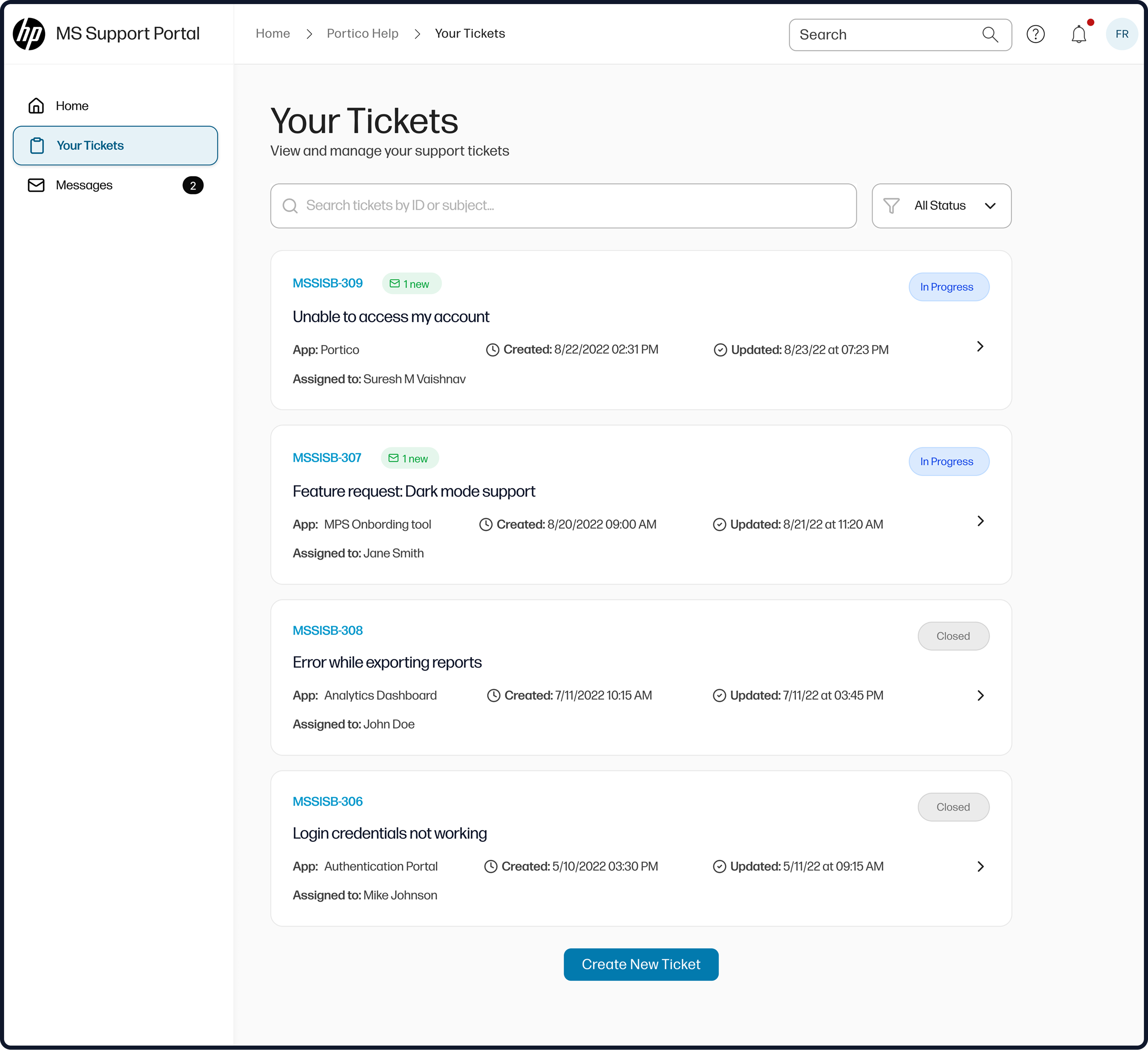
Manage tickets
What's happening:
Submitted tickets are centralized in a single view, allowing users to track status, see updates, and understand progress without needing to follow up outside the portal.
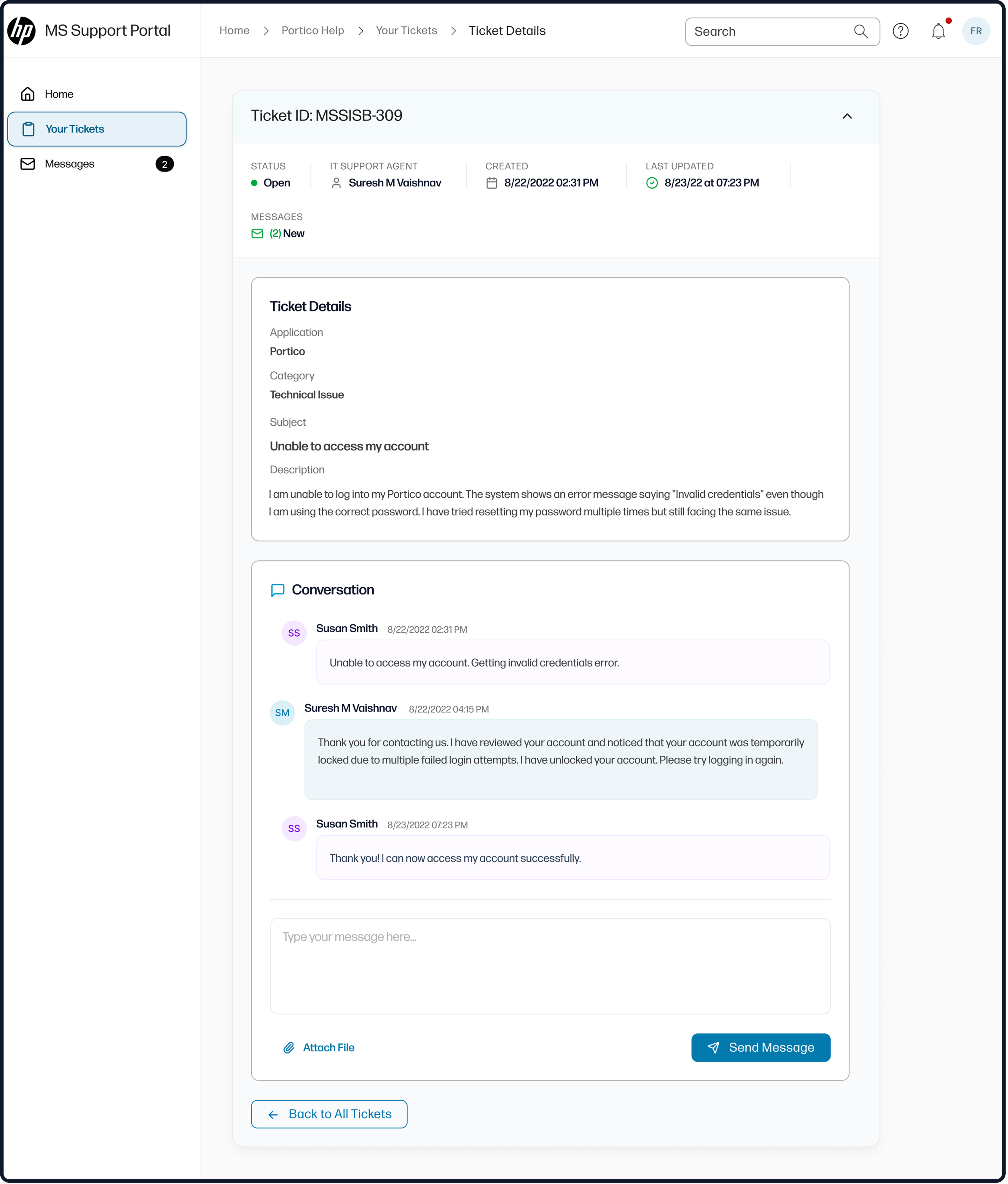
View ticket details
What's happening:
Each ticket provides clear visibility into ownership, status changes, timestamps, and resolution notes, reducing ambiguity and unnecessary back-and-forth.
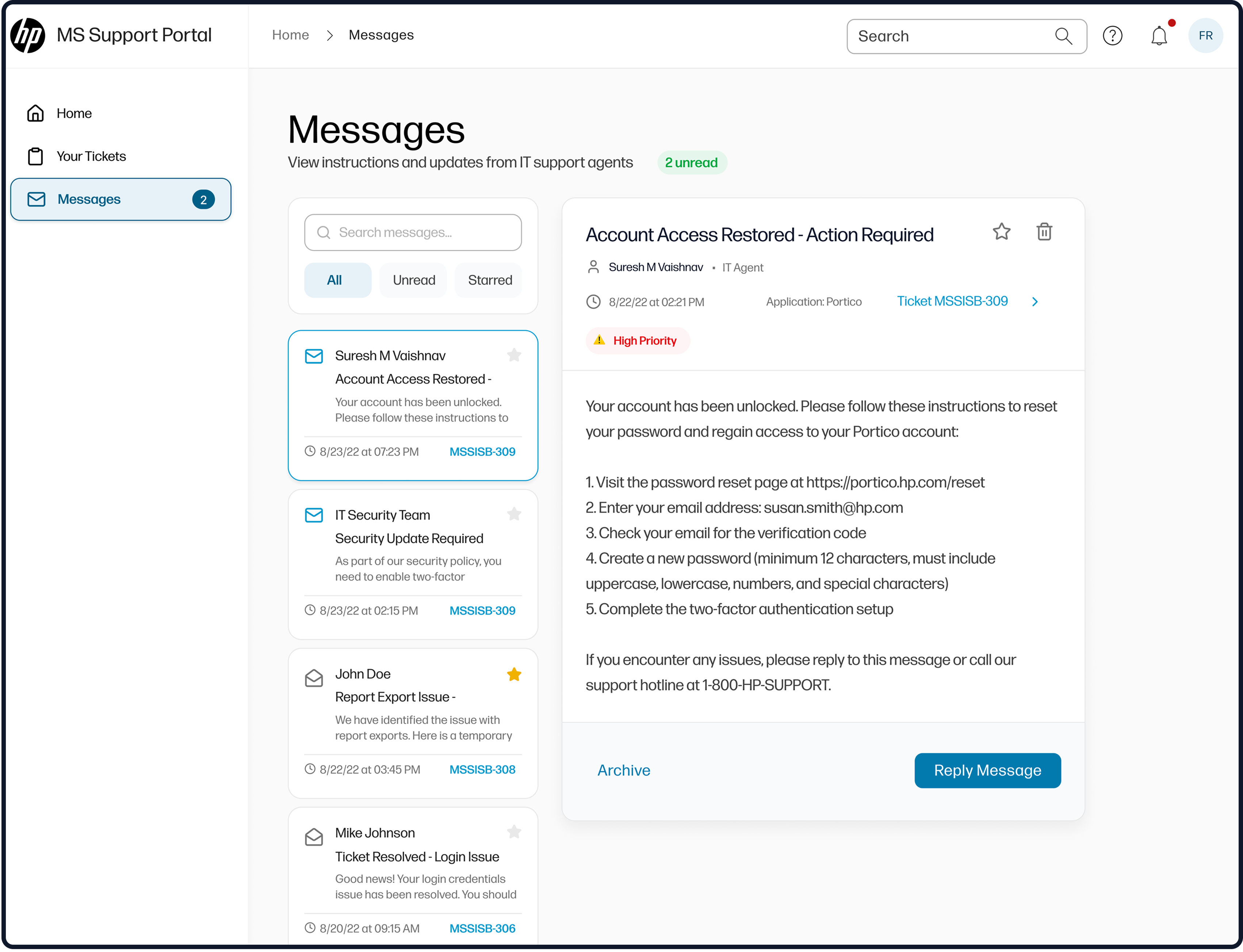
Message and receive updates
What's happening:
Integrated messaging keeps all communication tied to the ticket, ensuring users and IT teams stay aligned while reducing reliance on email and phone escalation.
Outcomes & Impact
Together, these changes transformed the support portal from a point of escalation into a primary, trusted channel for enterprise IT support.
Key outcomes included:
- Reduced portal abandonment and redirected users back into the portal through clearer navigation and guided workflows.
- Lower operational overhead through standardized intake and improved resolution speed.
- Improved communication between users and IT via centralized status and messaging
Key Learnings
- Clarity at entry points matters most. Surfacing primary actions, system status, and self-help options early significantly reduced confusion and abandonment during ticket creation.
- Enterprise usability is about scale, not just polish. Small usability gaps compound quickly at scale, making workflow clarity and consistency critical for operational efficiency.
